Manual › Getting started
The main window
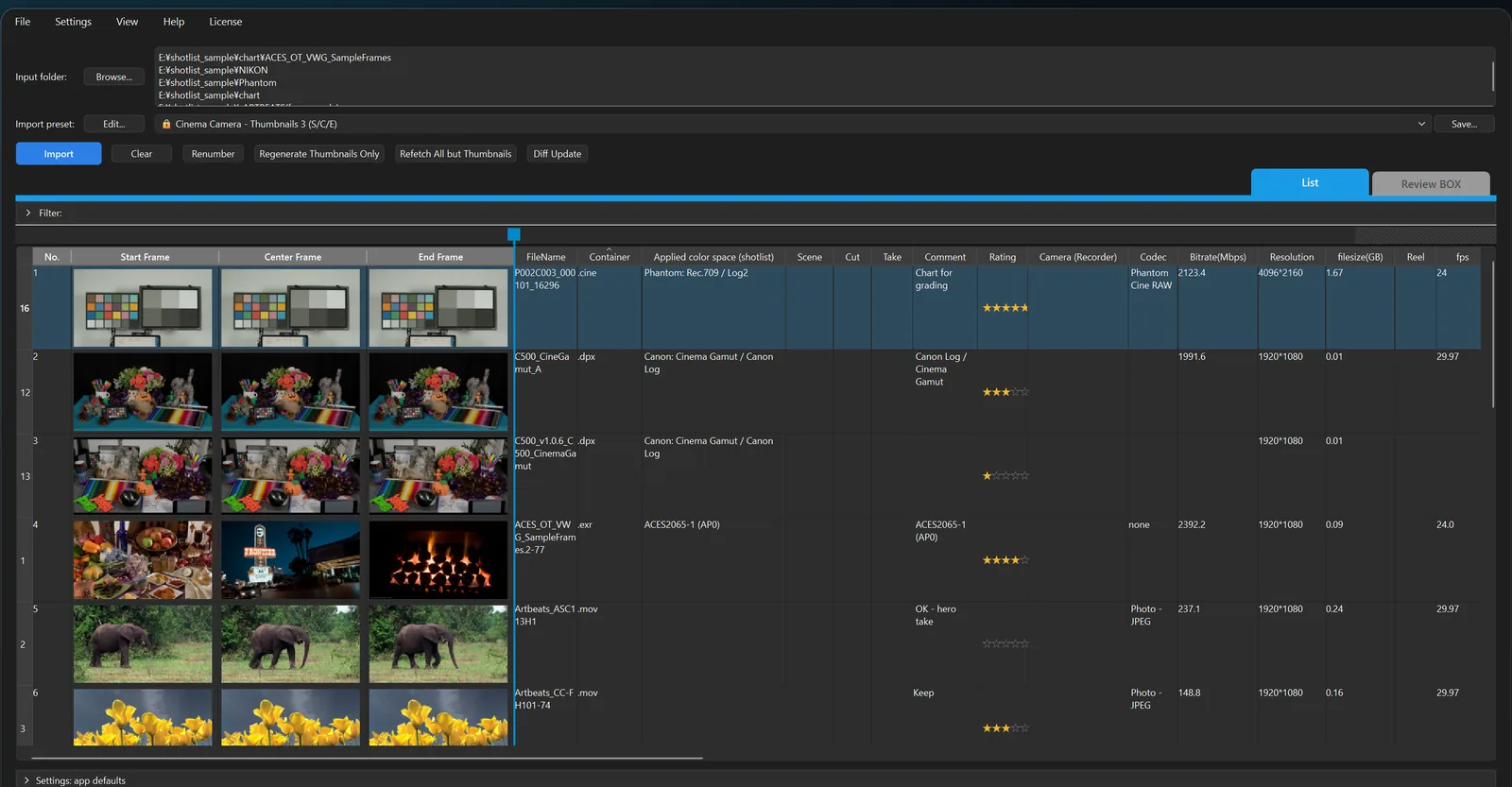
Top
| Part |
What it does |
| "Input folder:" and "Browse..." |
The folder to import. You can also drag and drop media here |
| "Import preset:" |
Chooses a set of columns. "Edit..." opens the "Columns" settings; "Save..." saves the current column layout under a name |
| Button row |
"Import", "Clear", "Renumber", "Regenerate Thumbnails Only", "Refetch All but Thumbnails", "Diff Update" (Import) |
Middle
| Part |
What it does |
| "List" / "Review BOX" tabs |
Switches between the table and the tile view (Tab, Ctrl+1 / Ctrl+2) |
| "Filter:" bar |
Click to open it and narrow the rows by conditions (Filter) |
| Freeze bar |
Keeps the left columns in place when scrolling sideways (Editing the list) |
| List |
One row per clip |
Bottom
| Part |
What it does |
| Progress and status |
Progress and results of importing and exporting. If there are errors, an errors panel appears |
| Totals line |
"Total files: n : by extension | total size | total duration". Hover for the breakdown |
| Settings line |
"Settings: app defaults" or "Settings: project <name>". ▸ shows a summary of the columns, thumbnails, sequences and xlsx settings |
| Export buttons |
"Export xlsx", "Export xlsx (compatible)", "Export xlsx (Sheets)", "Export Images" (Export) |
| Menu |
Main items |
| File |
New window, New Project, Open / Save Project, open in ShotPlayer, Production add-on imports |
| Settings |
"Settings...", changing the media folder location, copying cells |
| View |
List / Review BOX, font size |
| Help |
"About ShotList", "Check for Updates..." (Mac) |
| License |
"License Activation...", "Manage Your License on the Web" (Installation and activation) |
The window title shows the name of the open project. If there are unsaved changes, a * is added at the end.