Manual › Basic license features
ShotPlayer
ShotPlayer is the standalone player that comes with ShotList2. It plays clips — camera RAW included — right away without opening ShotList. Playback works the same as the Review player (without stars, comments or thumbnail replacement).
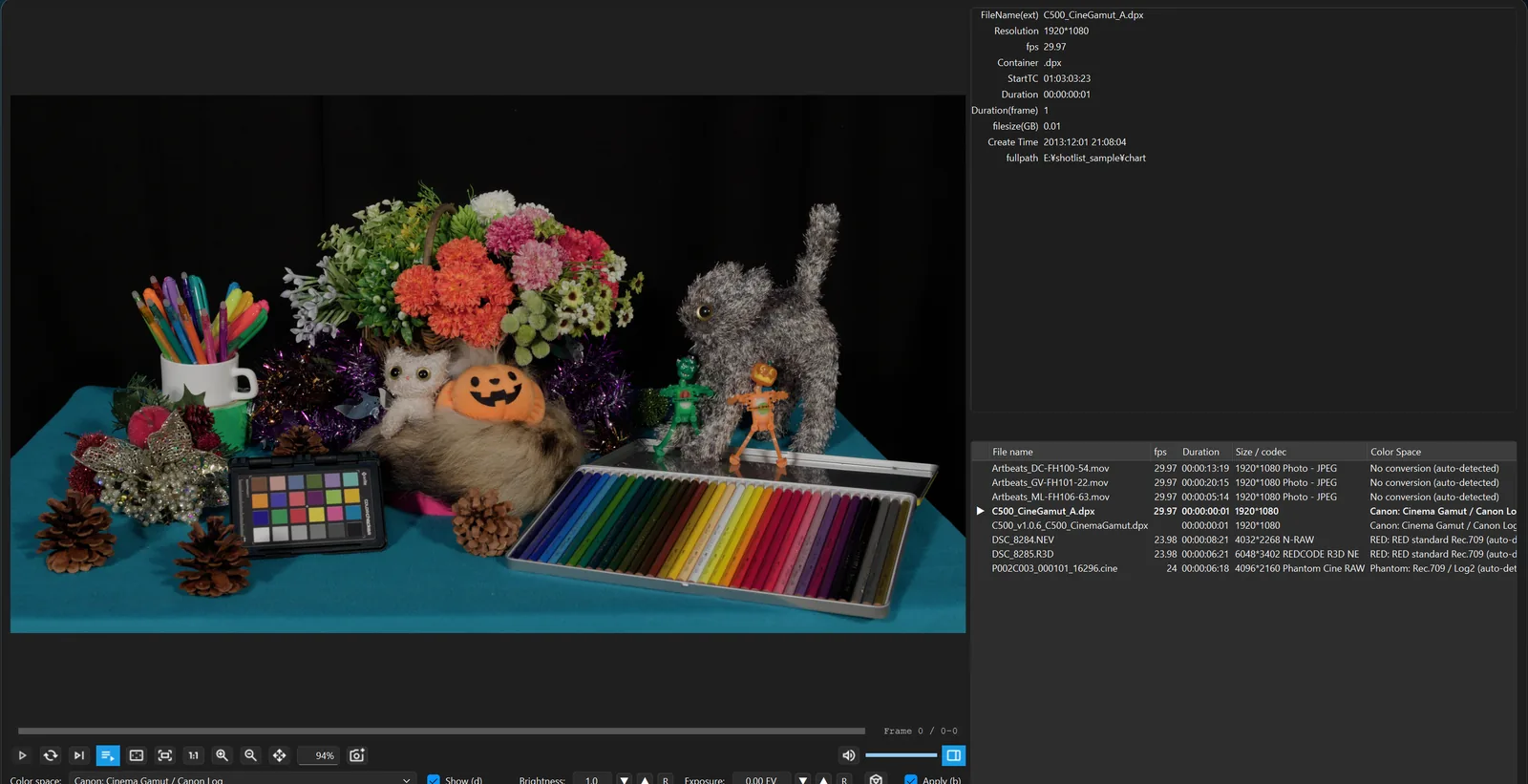
Opening clips
- Right-click a video → "Open with" → ShotPlayer.
- Start ShotPlayer from the Start menu (Launchpad / Spotlight on Mac) to open an empty window, then drag and drop clips onto it.
- From ShotList2's File menu: "New ShotPlayer", "Open the whole list in ShotPlayer" or "Open the filtered results in ShotPlayer". Clips are passed in the order shown in ShotList.
Opening one frame of a DPX, EXR, DNG or ARI sequence opens the whole sequence as one clip.
ShotPlayer does not change your default apps. If you want videos to open in ShotPlayer on double-click, choose it in Windows' "Default apps".
Opening several files at once collects them into one window, added to the end of the playlist in name order.
Playlist
"Playlist (P)" or P opens and closes it. It opens automatically when there are two or more clips.
| Action | What it does |
|---|---|
| Click / ↑ ↓ | Select (with RAPID PLAY on, switch and play right away) |
| Double-click / Space | Switch to that clip |
| Drag | Reorder. Drop files to add them |
| Delete / "Remove (Del)" | Remove from the playlist (the file is not deleted) |
| L / loop the playlist | Start again from the top at the end |
| Right-click | Color space, cue, open folder, remove |
With RAPID PLAY on, simply selecting a clip plays it. Handy for going through many clips quickly.
Creating a ShotList
"Create a ShotList" (or "MENU" → "Create a ShotList from the playlist") makes a ShotList list from the clips in the playlist. Color space, desqueeze and rotation settings carry over.
"MENU" → "Open ShotList and import this clip's folder" imports the whole folder of the current clip.
"MENU" and settings
- "MENU": "New window" (Ctrl+N), "New window (keep the playlist)", "Anamorphic (desqueeze)", "Rotation", "View Size"
- Settings: on double-click, "Play automatically" or "Open without playing" / add only the opened file to the playlist, or every file in the same folder / "Fit window to opened clip (1:1 / 1/2 / 1/4 / 1/8)" / reset the layout
ShotPlayer keys
| Key | Action |
|---|---|
| P | Open / close the playlist |
| Tab | Open / close the right pane |
| ↑ / ↓ | Previous / next in the playlist |
| Shift+↑ / ↓ | Brightness |
| Alt+↑ / ↓ | Exposure |
| Ctrl+W | Close the window |
| Ctrl+1 | Window to actual size |
| Ctrl+= / Ctrl+- | Window one step larger / smaller |
| Ctrl+0 | Fill the screen (press again to go back) |
Playback, zoom and color keys are the same as in the Review player. On Mac, read Ctrl as ⌘ and Alt as Option.